









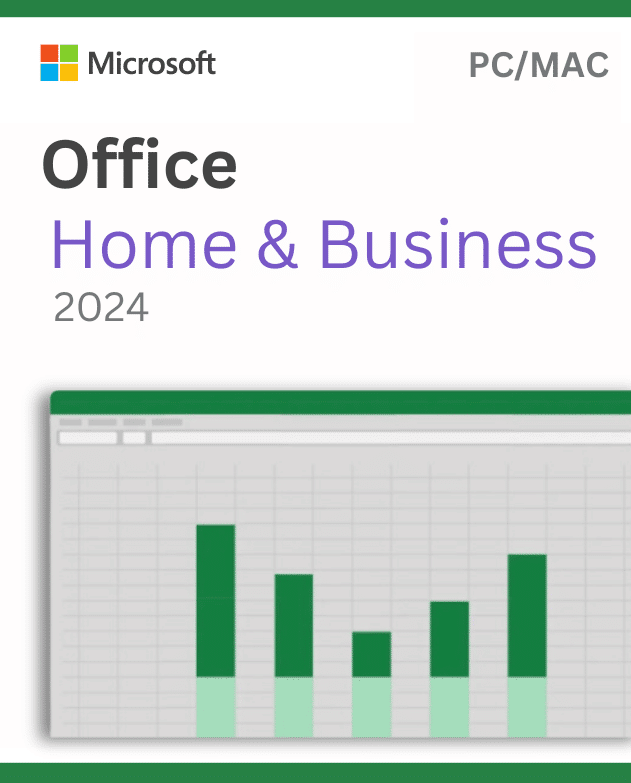

Microsoft Office 2024 Home & Business (pc/Mac) Retail License Key
321,00 €
Koop Zonder Risico!Niet-goed-geld-terug-garantie en 4.9 ★ Trustpilot-beoordeling.Meer informatie.
Proven Quality & Genuine Licenses, Backed by Real Buyer Reviews
Great customer support ousama was very...
Great customer support ousama was very helpful
My experience was so good so fast...
My experience was so good so fast instant delivery via email support respond so fast also really recommende
Very fast and good service
Very fast and good service
Ver helpful customer support I really...
Ver helpful customer support I really recommend
Very professional Service
Very professional Service, I really recommend
The customer support was so helpful
The customer support was so helpful
Excellent !
Excellent !
Perfectfly Satisfied with their service..
Perfectfly Satisfied with their service they helped me with figuring out the right solution I've been looking for I recommend
⚠️ Belangrijke Licentie- en Verzilveringsmelding
Permanente Licentie voor Mac (Apple Silicon & Intel): Deze officiële Microsoft Office 2024 Home & Business productcode wordt permanent gekoppeld aan uw persoonlijke Microsoft-account voor 1 Mac. Volledig geoptimaliseerd voor zowel Apple Silicon (M1, M2, M3, M4) als Intel Mac-modellen.
Officiële Verzilvering via setup.office.com: Verzilver de code direct via Microsofts officiële portaal met uw eigen account. Ondersteunt de drie meest recente macOS-versies (Sequoia, Sonoma, Ventura). Bekijk voor hulp ons Helpcentrum.
Complete Kantoorproductiviteit voor Thuis en Bedrijf met Microsoft Office 2024
Microsoft Office 2024 biedt de toonaangevende softwaretoepassingen voor tekstverwerking, geavanceerde gegevensanalyse, overtuigende presentaties en zakelijke communicatie. Of u nu rapporten schrijft, complexe data modelleert of samenwerkt in projecten, deze suite levert absolute betrouwbaarheid.
Geoptimaliseerd voor hoge prestaties, moderne beeldschermen en vloeiende samenwerking. Geniet van een intuïtieve gebruikerservaring met donkere modus, verbeterde toegankelijkheid en ondersteuning voor open bestandsformaten.
💼 Uitgebreide Professionele Applicaties Inbegrepen
Microsoft Word
Creëer en bewerk professionele documenten met geavanceerde opmaakopties, spellingcontrole en donkere modus.
Microsoft Excel
Krachtige gegevensverwerking met XLOOKUP, dynamische matrices, interactieve grafieken en snelle draaitabellen.
Microsoft PowerPoint
Maak indrukwekkende presentaties met Cameo-video-integratie, vloeiende overgangen en 4K-presentatie-export.
Microsoft Outlook
Centraal beheer van al uw zakelijke e-mails, agenda’s, contactpersonen en to-do-lijsten.
Microsoft OneNote
Houd al uw notities en documentatie overzichtelijk bij elkaar op één centrale plek.
OneDrive Cloudopslag
Bewaar bestanden veilig in de cloud met automatische back-up en synchronisatie.
Realtime Samenwerking
Werk gelijktijdig samen in hetzelfde document met collega’s en zie wijzigingen direct live verschijnen.
Geavanceerde Beveiliging
Ingebouwde gegevensbescherming en bestandscodering om uw commerciële data te vrijwaren van datalekken.
⚡ Productiviteitsinnovaties & Moderne Tools
Native Apple Silicon Prestaties
Geoptimaliseerd voor M1, M2, M3 en M4-chips voor lichte belasting, snelle opstart en lange batterijduur.
macOS Split View & Retina Schermen
Volledige integratie met macOS-vensterbeheer, Retina-resolutie en multitouch-bewegingen.
Ondersteuning voor 3 macOS Versies
Officieel compatibel met de nieuwste drie macOS-versies (Sequoia, Sonoma en Ventura).
Office voor Mac Donkere Modus
Sluit naadloos aan op de systeembrede donkere modus van macOS voor comfortabel werken.
⚡ Gestandaardiseerde Technische Leveringsspecificaties
🚀 Snelle 3-Stappen Installatie & Verzilvering
Ga naar setup.office.com
Bezoek setup.office.com en log in met uw Microsoft-account.
Verzilver Uw Licentiecode
Voer uw 25-cijferige productcode in om Office permanent aan uw account te koppelen.
Downloaden & Installeren
Klik op Installeren om de officiële software op uw computer te downloaden.
Volumelicenties Nodig voor Uw Team?
Wilt u een bedrijfsafdeling of school voorzien van Office? Neem contact op met onze zakelijke afdeling voor bulkkortingen en facturen.
Word Sorted Keys Affiliate Partner
Verdien aantrekkelijke commissies door originele Microsoft Office-licenties aan te bevelen aan uw netwerk.
📦 Ontdek Meer Originele Softwarecollecties bij Sorted Keys
| Brand | Microsoft |
|---|---|
| License Type | Retail (FPP) – Lifetime Perpetual |
| Delivery Method | Instant Digital Delivery via Email (<60 seconds) |
| Language Support | Multilingual / Global |
| Platform | Windows PC / Apple Mac (Universal) |
| Applications Included | Word, Excel, PowerPoint, Outlook, OneNote |
| Devices Supported | 1 PC or 1 Mac (Transferable) |
2 beoordelingen voor Microsoft Office 2024 Home & Business (pc/Mac) Retail License Key
Filters wissenEnkel ingelogde klanten die dit product gekocht hebben, kunnen een beoordeling schrijven.
💡 Veelgestelde Vragen — Office Home & Business (Mac)
Vragen over macOS-compatibiliteit, Microsoft-accountkoppeling en permanente licenties:
Gerelateerde producten
Microsoft Windows 10 Home – Originele Retail Licentie (1 PC)
Oorspronkelijke prijs was: 31,00 €.25,00 €Huidige prijs is: 25,00 €.
Microsoft Windows Server 2025 Standard
Oorspronkelijke prijs was: 78,00 €.61,00 €Huidige prijs is: 61,00 €.

Microsoft SQL Server 2022 Standard
Prijsklasse: 215,00 € tot 700,00 €
Wouter Bos (geverifieerde eigenaar) –
Eindelijk af van dat Microsoft 365 maandabonnement. Code netjes ingevoerd op de officiële Microsoft setup-pagina en direct gekoppeld aan mijn account. Word en Excel starten supersnel op.
Anouk de Wit (geverifieerde eigenaar) –
Gekocht voor mijn iMac. De installatie via de officiële Microsoft installer verliep vlekkeloos. Heel blij mee!