Windows 11 vs macOS vs Linux: Choosing the Right OS in 2026

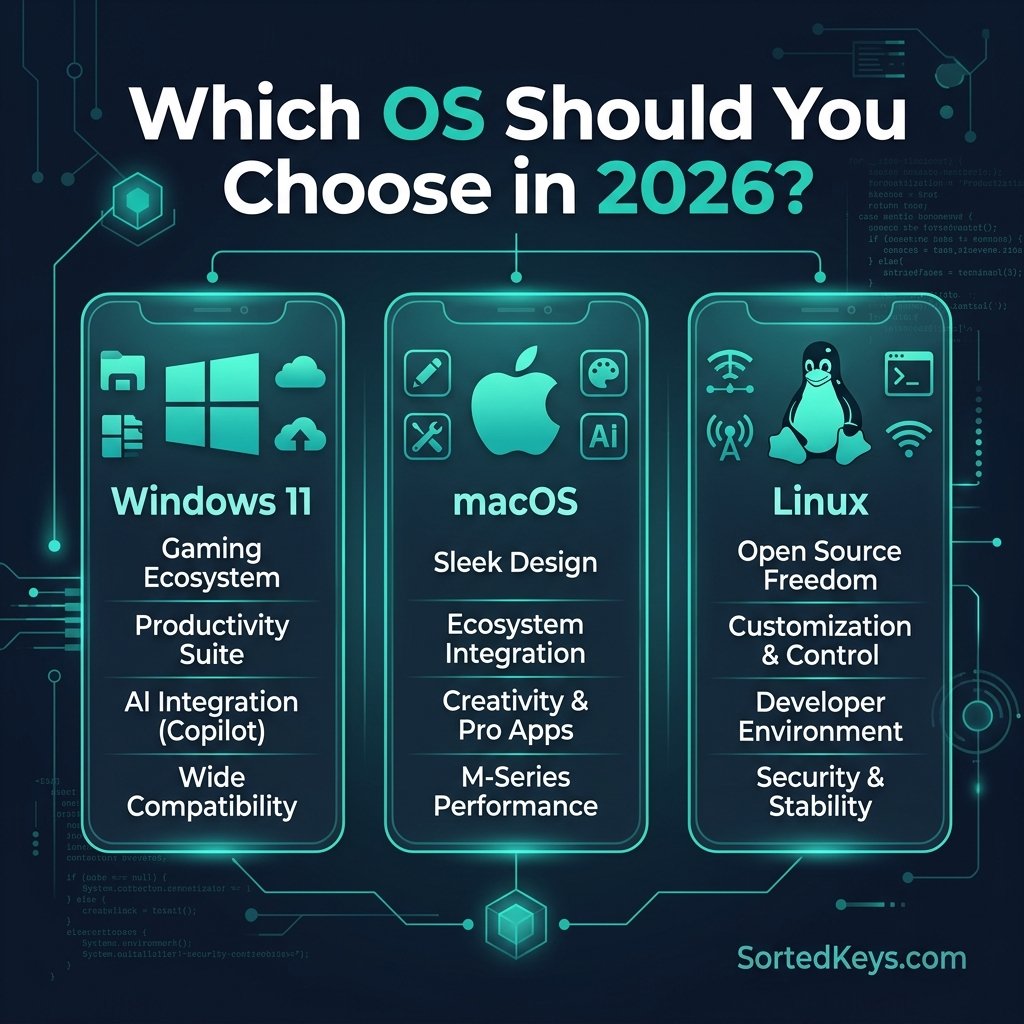
The short answer: If you are a PC gamer, a corporate professional, or someone who relies on broad software compatibility, Windows 11 is the undisputed choice in 2026. If you are deeply embedded in the Apple ecosystem (iPhone/iPad) and prioritize creative software, macOS is your best fit. For developers, privacy enthusiasts, and those who want total control over a free operating system, Linux is the way to go.
Choosing the right operating system (OS) is the most important tech decision you’ll make when setting up a new computer. In 2026, the battle between Windows 11, macOS, and Linux has evolved, with each OS carving out a distinct niche for different types of users. Let’s break down exactly which OS you should choose based on your daily needs.
1. Windows 11: The Undisputed King of Compatibility and Gaming
Microsoft’s Windows remains the dominant force in the global desktop market, and for good reason. It offers unparalleled compatibility with third-party software, hardware peripherals, and enterprise applications. If you’re building a custom PC or buying a pre-built machine from almost any manufacturer, Windows 11 is the default standard.
- Unmatched Gaming: Windows 11 is the only serious choice for gamers. DirectX 12 Ultimate, Auto HDR, and DirectStorage make it the ultimate platform for modern PC gaming. Neither macOS nor Linux can compete with the sheer volume of games available on Windows.
- Software Ecosystem: From Microsoft Office to obscure proprietary business software, virtually everything runs on Windows.
- Hardware Freedom: You can run Windows on a $200 budget laptop or a $5,000 custom-built liquid-cooled gaming rig.
🚀 Ready to upgrade your PC?
Get instant access to all these features with a genuine Windows 11 Pro License Key from SortedKeys. Instant delivery and full support included!
2. macOS: The Creative Professional’s Sanctuary
Apple’s macOS is exclusive to Mac hardware (MacBooks, iMacs, Mac Minis). It is renowned for its sleek interface, stability, and deep integration with other Apple devices.
- The Apple Ecosystem: If you use an iPhone, iPad, or Apple Watch, macOS offers seamless continuity. You can copy text on your phone and paste it on your Mac instantly.
- Creative Powerhouses: Software like Final Cut Pro and Logic Pro are macOS exclusives, making it a favorite for video editors and musicians.
- The Trade-off: The biggest downside is the “Apple Tax.” You must buy expensive Apple hardware to use macOS, and upgrading internal components (like RAM or storage) is often impossible after purchase.
3. Linux: The Open-Source Powerhouse
Linux isn’t a single operating system; it’s a kernel that powers hundreds of different “distributions” (like Ubuntu, Linux Mint, or Fedora). It is completely free and open-source.
- Total Control and Privacy: Linux doesn’t track your data or force updates on you. You have absolute control over every aspect of your system.
- Resource Efficiency: You can revive a 10-year-old laptop by installing a lightweight Linux distribution on it.
- The Trade-off: The learning curve can be steep. While distributions like Ubuntu are user-friendly, you will occasionally need to use the command line terminal. Furthermore, software like Microsoft Office and Adobe Creative Cloud do not natively support Linux.
Summary Comparison Table
| Feature | Windows 11 | macOS | Linux |
|---|---|---|---|
| Best For | Gaming, Business, General Use | Creative Pros, Apple Users | Developers, Privacy Enthusiasts |
| Hardware Cost | Low to High (Varies) | High (Apple Hardware Only) | Free (Runs on anything) |
| Gaming Support | Excellent | Poor | Moderate (Improving via Proton) |
| Customization | Moderate | Low | Extremely High |
Still on an older version of Windows and thinking about making the jump? Check out our guide on Windows 10 vs Windows 11: Should You Upgrade in 2026?
Frequently Asked Questions
Can I run Windows 11 on a Mac?
Yes, you can run Windows 11 on modern Macs (Apple Silicon) using virtualization software like Parallels Desktop, though it runs the ARM version of Windows rather than the standard x86 version.
Can I play PC games on Linux?
Yes, gaming on Linux has vastly improved thanks to Valve’s “Proton” compatibility layer (used on the Steam Deck), allowing many Windows games to run smoothly on Linux. However, Windows 11 still offers the most native and seamless gaming experience, especially for games with aggressive anti-cheat software.
Is Linux difficult to use?
Modern, beginner-friendly Linux distributions like Ubuntu or Linux Mint look and function very similarly to Windows. For everyday tasks like web browsing and word processing, it is very easy to use. The difficulty only arises when you need to run specific proprietary Windows software.