Windows 11 Pro vs Enterprise: What’s the Difference?

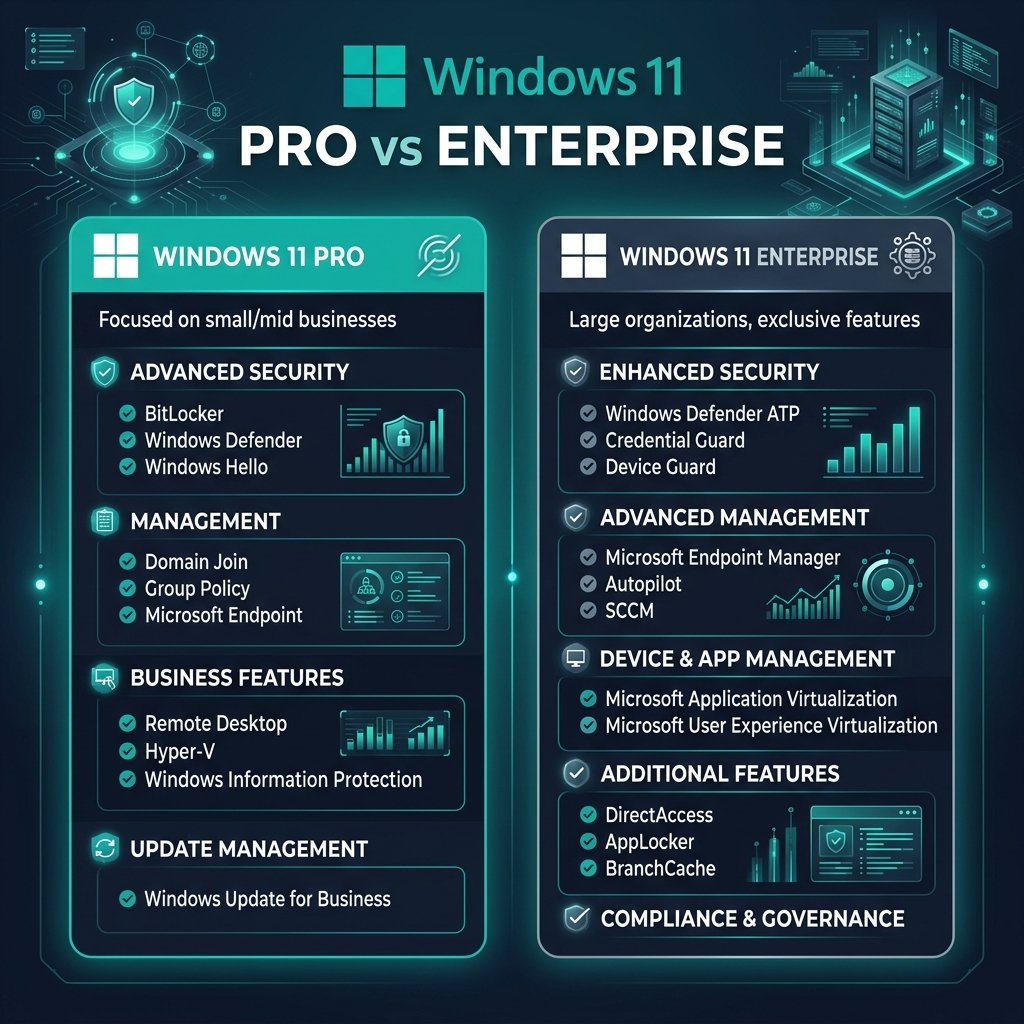
The short answer: Windows 11 Pro is designed for small to medium-sized businesses, power users, and professionals who need advanced security and management tools like BitLocker and Hyper-V. Windows 11 Enterprise is exclusively for large-scale corporations and IT departments that require massive volume deployment, advanced endpoint analytics, and enterprise-grade threat protection. Most users and small businesses only need Windows 11 Pro.
1. Core Differences in Features
Both operating systems are built on the same core architecture, but they cater to very different organizational sizes. If you are comparing Windows 11 Home vs Pro, the jump in features is massive. However, the jump from Pro to Enterprise is heavily focused on IT management rather than daily user experience.
- Windows 11 Pro: Includes BitLocker device encryption, Windows Information Protection (WIP), Hyper-V virtualization, and the ability to join a domain or Azure Active Directory. It is the perfect balance of power and affordability.
- Windows 11 Enterprise: Includes everything in Pro, plus Windows Defender Credential Guard, advanced AppLocker (to whitelist/blacklist specific apps company-wide), and DirectAccess for seamless VPN connectivity.
2. Licensing and How You Buy It
This is where the biggest difference lies. You cannot simply walk into a store and buy a retail box of Windows 11 Enterprise.
- Windows 11 Pro Licensing: Available as a standard retail purchase, OEM key, or digital download. You buy it once, and you own it forever. You can purchase a genuine Windows 11 Pro Activation Key instantly.
- Windows 11 Enterprise Licensing: This is a Volume Licensing product available strictly to businesses. It usually requires an active Microsoft volume licensing agreement (like Enterprise Agreement or CSP) and is often billed as a subscription per user.
Ready to Upgrade to Windows 11 Pro?
If you’re a small business or a power user, Windows 11 Pro is the definitive choice. Secure your data with BitLocker and unlock advanced management tools without the enterprise subscription fees.
Get Windows 11 Pro Today3. Security and Deployment (IT Departments)
If you run an IT department managing 500+ computers, Enterprise is built for you. It allows IT admins to deploy operating systems over the network with zero-touch provisioning. While Windows 11 Pro supports basic Mobile Device Management (MDM), Enterprise offers deep integration with Microsoft Endpoint Manager.
Furthermore, if you are an enterprise looking for locked-down systems that do not receive feature updates (perfect for medical devices or ATMs), you will need specialized versions like Windows 10 Enterprise LTSC.
Frequently Asked Questions (FAQ)
Can a normal user buy Windows 11 Enterprise?
No. Windows 11 Enterprise is only available to businesses through Microsoft Volume Licensing agreements. Standard consumers and small businesses should purchase Windows 11 Pro.
Does Windows 11 Enterprise have more gaming performance?
No. The gaming performance between Pro and Enterprise is identical. Both support DirectX 12 Ultimate, Auto HDR, and DirectStorage. Gamers should stick to Windows 11 Home or Pro.
How do I upgrade from Pro to Enterprise?
If your business has a volume licensing agreement, you can upgrade from Pro to Enterprise simply by changing the product key in the activation settings, or by logging in with a licensed Azure AD corporate account. For a detailed guide on volume deployments, check our Windows 11 Volume License Deployment Guide.